S3 Destinations
An S3 destination is a connection to a specific S3-compatible provider.
Configuration is available in Admin Panel → S3 Configuration.
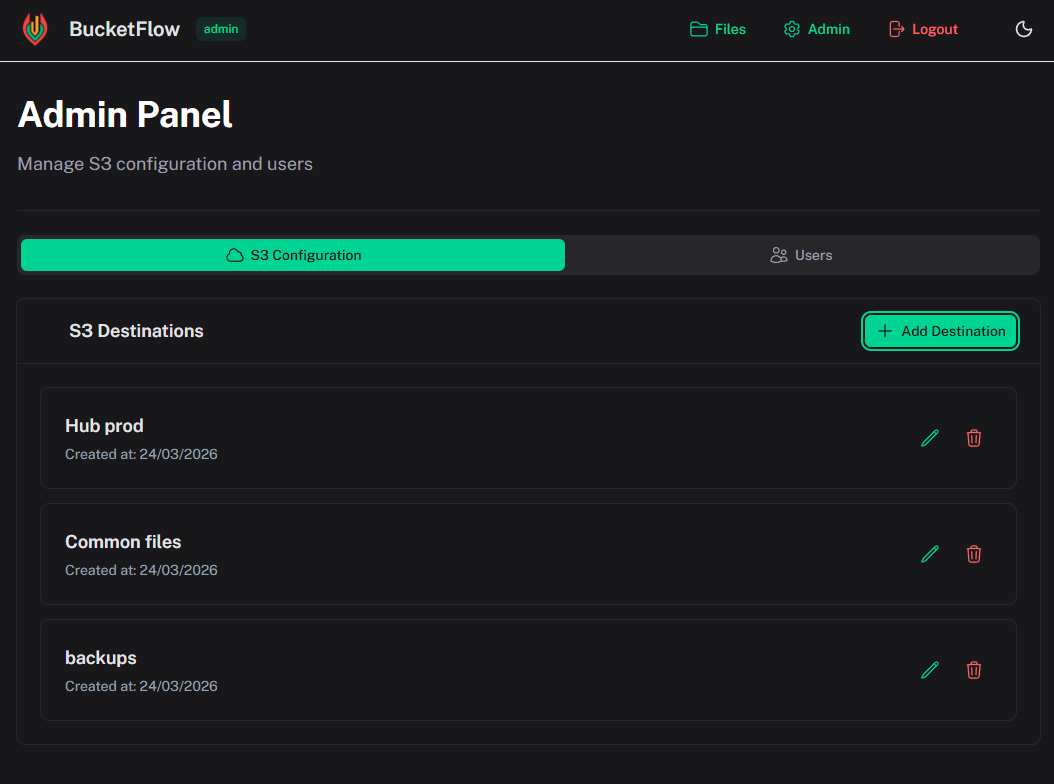
Adding a destination
- Open Admin Panel → S3 Configuration
- Click Add Destination
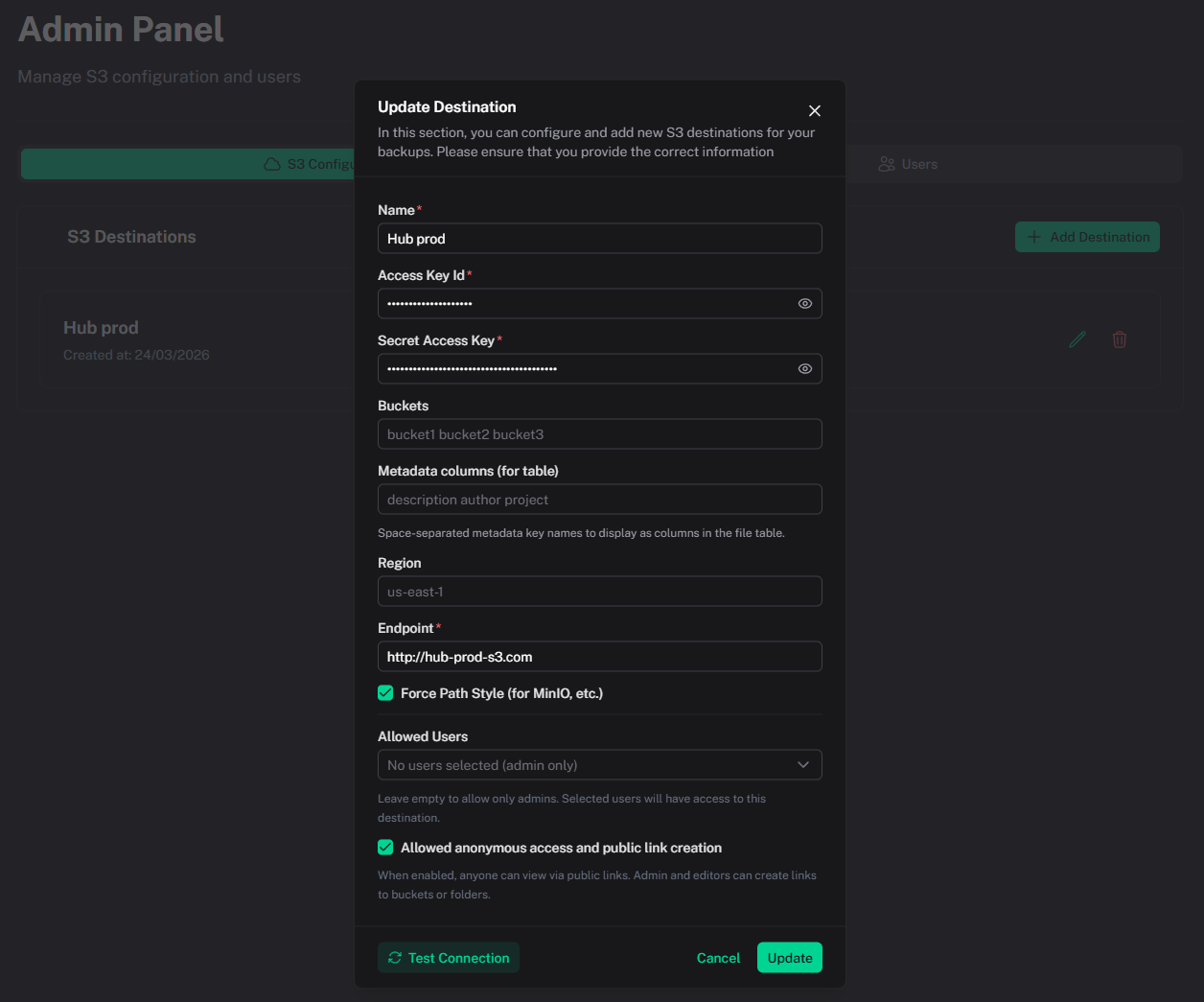
- Fill in the fields
| Field | Purpose |
|---|---|
| Name | Display name of the destination |
| Access Key ID | S3 access key |
| Secret Access Key | S3 secret key. Required when creating. When editing, leave blank to keep the stored key (the secret is never shown again) |
| Buckets | Optional space-separated bucket allow-list |
| Metadata columns | Space-separated metadata keys displayed as file table columns |
| Region | Provider region, e.g. us-east-1 |
| Endpoint | S3 endpoint URL, e.g. https://s3.amazonaws.com |
| Force Path Style | Enable for MinIO and similar services |
| Allowed Users | Editors allowed to access this destination |
| Allowed anonymous access | Enables public links and anonymous access |
Secrets are encrypted at rest (AES-256-GCM) in the app data store. The API never returns the secret to the browser.
Additional actions
- Test Connection — validate connectivity before saving
- Edit — update destination settings (omit the secret to keep the current one)
- Delete — remove destination (does not delete data from S3)
Supported providers
- AWS S3
- Cloudflare R2
- MinIO
- Wasabi
- DigitalOcean Spaces
- Any S3-compatible API