Installation
Requirements
| Method | Requirements |
|---|---|
| Docker | Docker 20.10+ and Docker Compose v2 |
| Local | Node.js 20+, pnpm 10+ |
Docker deployment (recommended)
Option A: run from repository source
This option uses the local Dockerfile and is ideal for development or custom builds.
Option B: pre-built GHCR image
Create a docker-compose.yml with the following service:
services:
  bucketflow:
    image: ghcr.io/ambyte/bucketflow:latest
    container_name: bucketflow
    restart: unless-stopped
    ports:
      - "3000:3000"
    volumes:
      - bucketflow-data:/app/.data/storage
    healthcheck:
      test: ["CMD", "wget", "-q", "-O", "/dev/null", "http://localhost:3000/api/health"]
      interval: 30s
      timeout: 10s
      retries: 3
      start_period: 10s

volumes:
  bucketflow-data:
Then run:
Docker setup benefits
- Automatic restart (
restart: unless-stopped) - Persistent data storage in
bucketflow-data(users, destinations, generated JWT/encryption keys) - Health checks on
/api/health
First launch
- Open http://localhost:3000
- On first run, create the initial admin account
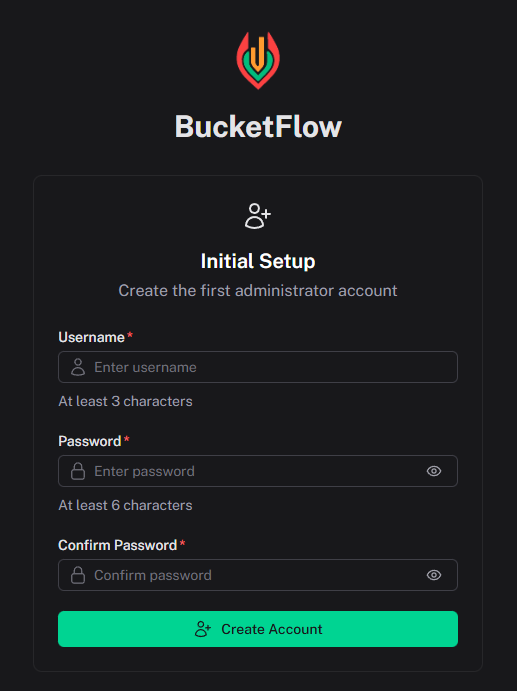
- Go to Admin Panel → S3 Configuration and add your first destination
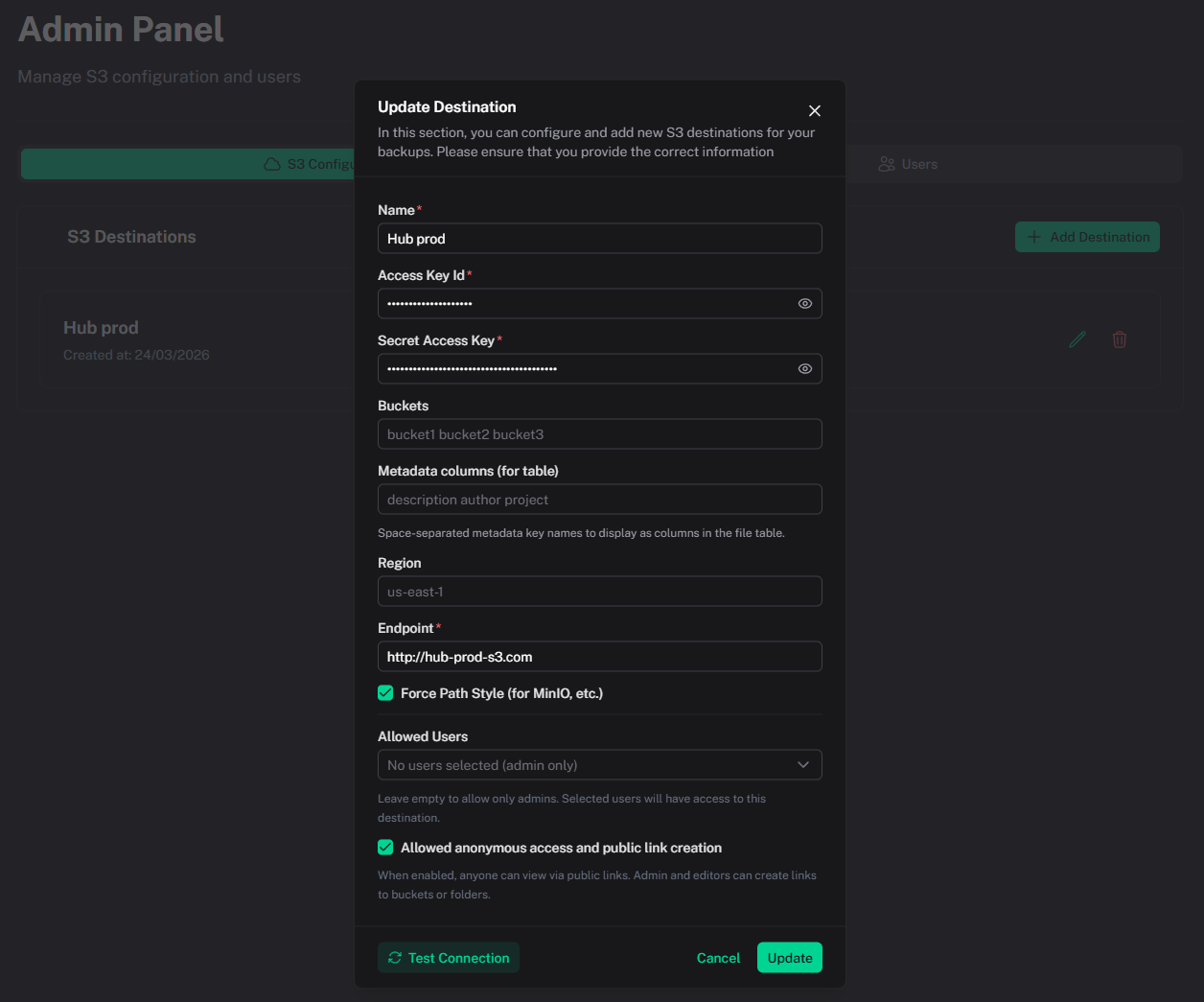
Field details are documented in S3 Destinations.
Local development
The app will be available at http://localhost:3000.
Build and preview production locally:
Security notes
On first start the server generates a JWT signing secret and an encryption key and stores them with application data (the Docker volume path above). Keep that volume.
Other defaults:
- Session JWT is an HttpOnly
bf-authcookie (24 hours), notlocalStorage - Login is limited to 10 attempts per IP per 15 minutes; first-admin registration to 5 per IP per 15 minutes
- Destination secret keys are encrypted at rest
- App routes send a Content-Security-Policy;
/publicallows iframe embedding
Troubleshooting
| Issue | Solution |
|---|---|
Port 3000 is already in use |
Change port mapping, e.g. "8080:3000" |
| Container exits immediately | Check logs: docker compose logs bucketflow |
| Data seems missing after restart | Ensure bucketflow-data is used and avoid docker compose down -v unless intentional |
| Health check fails initially | Wait 10–30 seconds after startup, especially on first boot |